
 1 / 2
1 / 2KYOCERA · Laserski štampači
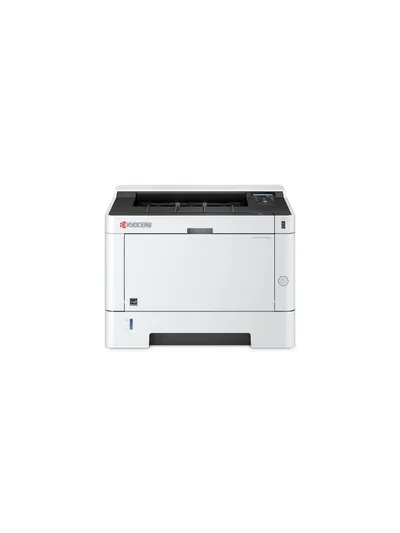
KYOCERA ECOSYS P2040DW
KYOCERA ECOSYS P2040DW, Laser, 1200 x 1200 DPI, A4, 40 ppm, Duplex printing, Network ready
Near Field Communication (NFC): NoWatermark printing: YesOperating temperature (T-T): 10 - 32.5 °CPrinting: Colour printingMaximum internal memory: 256 MBEthernet LAN: Yes
Specifikacije
- Near Field Communication (NFC)
- No
- Watermark printing
- Yes
- Operating temperature (T-T)
- 10 - 32.5 °C
- Printing
- Colour printing
- Maximum internal memory
- 256 MB
Opis
ECOSYS
ECOSYS stands for ECOlogy, ECOnomy and SYStem-printing. With their long-life components,
ECOSYS devices are designed to maximise durability and minimise the total cost of ownership
with regard to maintenance, administration and consumables. The cartridge-free system means
that toner is the only consumable. The modular design concept allows you to add workflow
enhancing functions as required.
Integrated system software provides long-term cross network compatibility. KYOCERA’s long-life
components cost you and the environment less.
ENVIRONMENTAL PRINT FEATURES
Duplex print mode (Double sided printing), N-Up printing mode (N pages on 1 sheet), Toner save
mode (Draft print mode), Quiet mode (reduced print speed).
KYOCERA NETVIEWER
KYOCERA NetViewer enables complete monitoring and control of all ECOSYS printers and digital
KYOCERA multifunction units from any Windows© PC and thus provides ideal network
administration. It also supports the standardised SNMP protocol.
COMMAND CENTER RX
The Command Center RX enables to control and manage various settings by accessing the device
via Web browser.
USB HOST INTERFACE FOR USB FLASH MEMORY
Documents can be printed directly from a USB Flash Memory (e.g. USB stick) via the USB host
interface. The documents stored as PDF, XPS, TIFF or JPEG are selected directly via the printer’s
control panel. No computer is required.
APPLICATION-BASED PROFILES
The KX printer driver can create a direct link between dedicated applications and predefined or
customised print profiles. You can set that all documents from a user or an application be printed
with activated duplex mode as standard, thus leading to a reduced paper consumption.
ECOSYS stands for ECOlogy, ECOnomy and SYStem-printing. With their long-life components,
ECOSYS devices are designed to maximise durability and minimise the total cost of ownership
with regard to maintenance, administration and consumables. The cartridge-free system means
that toner is the only consumable. The modular design concept allows you to add workflow
enhancing functions as required.
Integrated system software provides long-term cross network compatibility. KYOCERA’s long-life
components cost you and the environment less.
ENVIRONMENTAL PRINT FEATURES
Duplex print mode (Double sided printing), N-Up printing mode (N pages on 1 sheet), Toner save
mode (Draft print mode), Quiet mode (reduced print speed).
KYOCERA NETVIEWER
KYOCERA NetViewer enables complete monitoring and control of all ECOSYS printers and digital
KYOCERA multifunction units from any Windows© PC and thus provides ideal network
administration. It also supports the standardised SNMP protocol.
COMMAND CENTER RX
The Command Center RX enables to control and manage various settings by accessing the device
via Web browser.
USB HOST INTERFACE FOR USB FLASH MEMORY
Documents can be printed directly from a USB Flash Memory (e.g. USB stick) via the USB host
interface. The documents stored as PDF, XPS, TIFF or JPEG are selected directly via the printer’s
control panel. No computer is required.
APPLICATION-BASED PROFILES
The KX printer driver can create a direct link between dedicated applications and predefined or
customised print profiles. You can set that all documents from a user or an application be printed
with activated duplex mode as standard, thus leading to a reduced paper consumption.
Brošura
Kretanje cena
Aktivni oglasi
Učitavanje oglasa…